Start Free with Enonic’s Headless SaaS CMS
Explore Enonic with a free developer plan, then choose Professional or Enterprise for your production needs.
Written by Thomas Sigdestad on
Enonic is a headless CMS delivered as SaaS, giving your team a managed content platform for websites, apps, and customer portals. Developers choose the front end, while editors create and manage content in Content Studio.
The platform’s open-source foundation provides flexibility and transparency. With Enonic SaaS, we operate the underlying platform so your team can focus on content models, integrations, and digital experiences.
Launched in January 2024, the Free plan gives developers a starting point for evaluating Enonic in the cloud. You can explore the editorial tools, test content delivery through APIs, and try out ideas before choosing a production plan.
Today, Enonic offers three SaaS plans: Free for developers, Professional for production websites and applications, and Enterprise for mission-critical deployments with more demanding service requirements.
Start with the Free Developer Plan
The Free plan is designed for learning, evaluation, and development. Use the solution templates and developer guides to explore Enonic, model your own content, and connect a front-end to the content API.
Free includes 5 GB of storage and community support. It does not include an uptime guarantee or automated backups, so use it for development and evaluation rather than services that require production assurances.
For production, Professional adds automated backups, an AI assistant, single sign-on, and SLA options with a 99.5% uptime guarantee. Enterprise supports mission-critical deployments with priority support, architecture tailored to your requirements, and uptime guarantees of up to 99.99%, depending on the agreed service.
Get Started in the Cloud Console
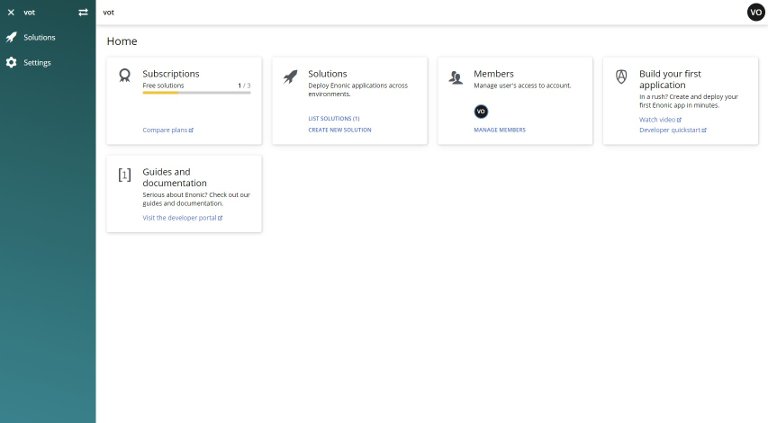
After signing up, use the Cloud Console to create your account and a solution. Choose an available solution template to explore headless delivery or CMS essentials, then follow the accompanying developer guide to get started.
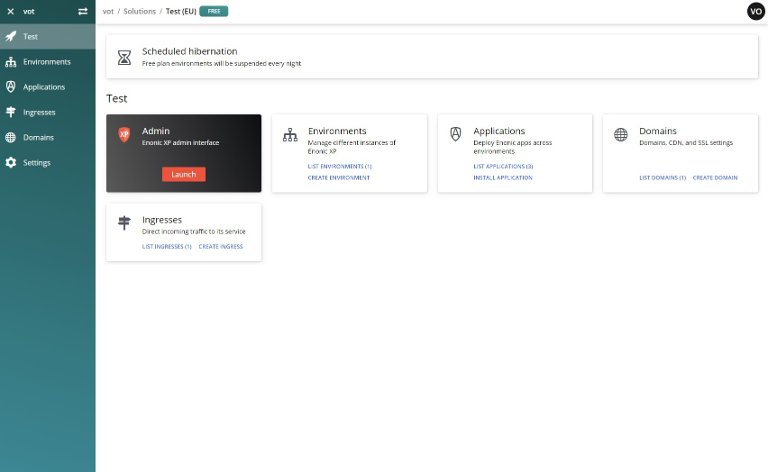
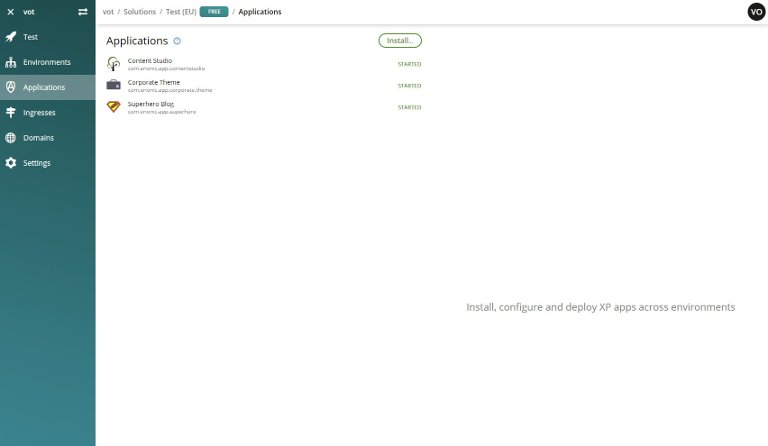
The Cloud Console gives you an overview of your solutions and their environments, applications, domains, and routes. From a running solution, you can open the Enonic admin interface and access Content Studio to create, edit, and publish content.
Use the Console to manage your solution and connect the Enonic CLI to deploy your own applications. Routes expose the content APIs and services your front end needs. The environments and service resources available depend on your plan.
Build Headless Experiences with Editorial Control
With Enonic, headless delivery works alongside visual editing. Content Studio provides content organization, preview, visual page composition, workflows, and image handling, while your developers build the website or application that presents the content.
Query content through GraphQL and deliver it to a front end such as Next.js, React, or another framework. Enonic’s front-end toolkits help connect content, routing, preview, and visual editing, so the editorial experience remains part of the solution.
At the foundation is structured content: articles, products, people, events, and other content types have defined fields and relationships. This makes information consistent, easier to maintain, and reusable across multiple channels.
Developer Freedom on a Managed Platform
Enonic combines APIs and developer tools with an extensible back end. Build content models and custom functionality using JavaScript or TypeScript, connect external services, and use your preferred front-end framework to deliver the experience.
Develop locally, deploy applications through the Enonic CLI, and incorporate deployment into your CI/CD workflow. For production projects, plan the environments and service levels you need with Professional or Enterprise. Enonic manages the CMS platform; your team retains responsibility for its custom code, integrations, and front-end deployment.
For documentation, tutorials, and starter projects, visit the Developer Portal.
Extend Your Solution with Enonic Market
Enonic Market brings together applications, libraries, and starters from Enonic and the community. Use it to find integrations, extend Content Studio, or get a head start on your own development.
Applications include tools such as SEO Meta Fields, Explorer, and Matomo Analytics. Libraries provide reusable code, while starters such as the TypeScript Starter provide a foundation for new projects. Check each item’s platform compatibility, license, and subscription requirements before installing it.
Ready to explore Enonic’s headless SaaS CMS? Start with the Free developer plan, then discuss Professional or Enterprise when your project is ready for production. Sign up for free »
First published 23 January 2024, updated 28 October 2026.